Quickstart › EMR Integrations›athenaOne
athenaOne

Sending a Referral to PicassoMD

Follow these steps to route a referral from an athenaOne patient chart directly to PicassoMD. The process uses athena's native order group workflow.


1

Add an order to the diagnosis

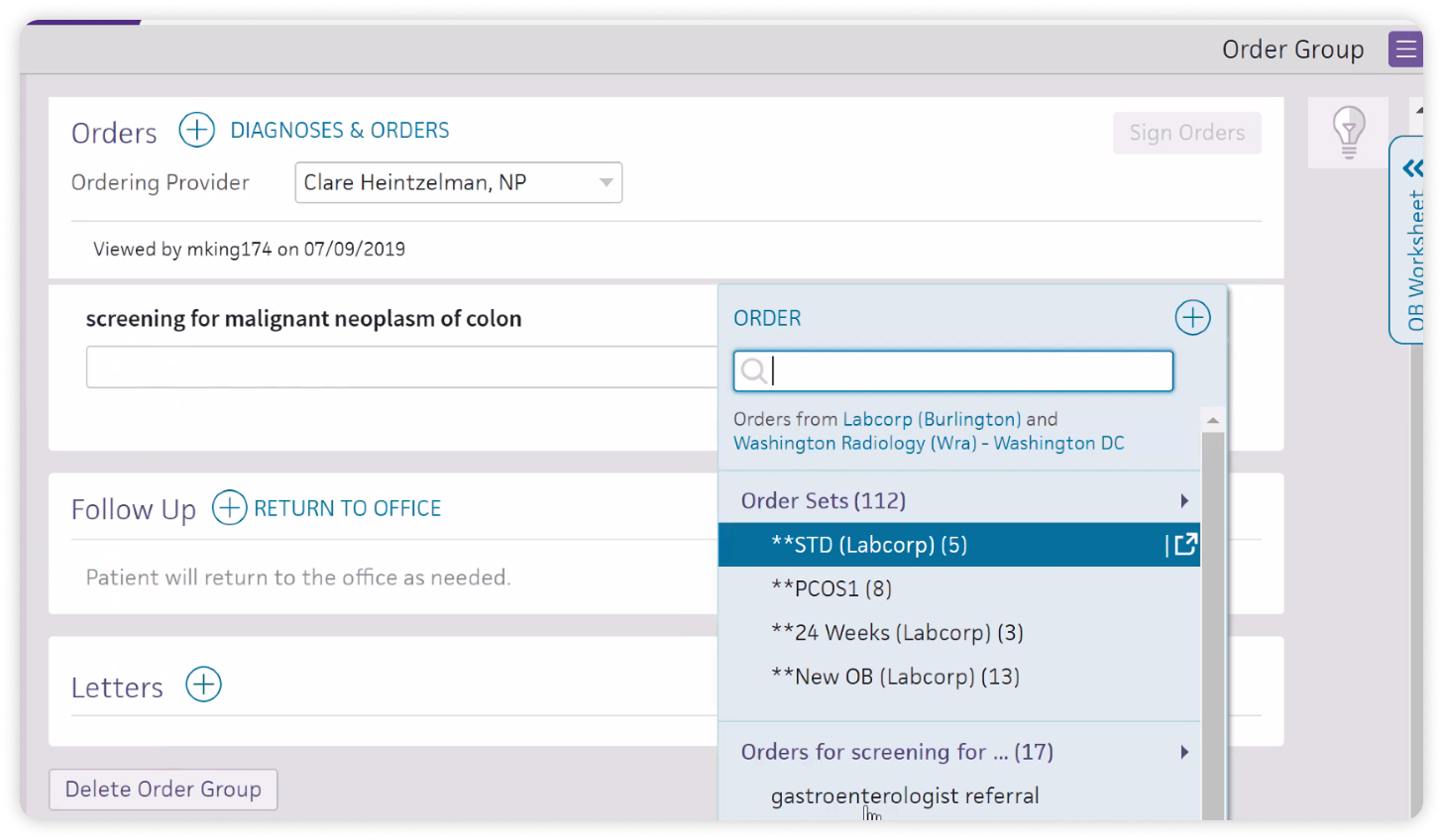
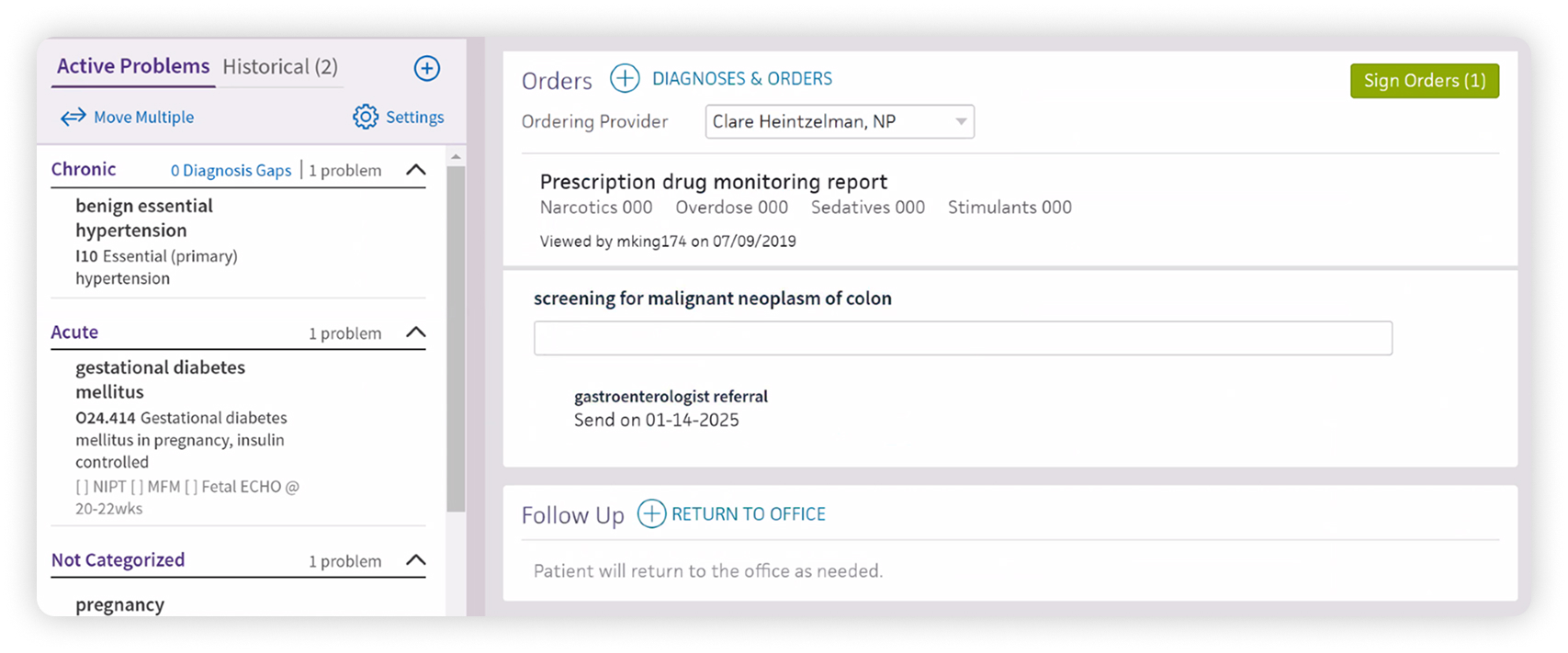
In the Orders panel, click + DIAGNOSES & ORDERS. Type the referral type — for example, "gastroenterologist referral" — and select it from the dropdown list.
2

Open the referral order

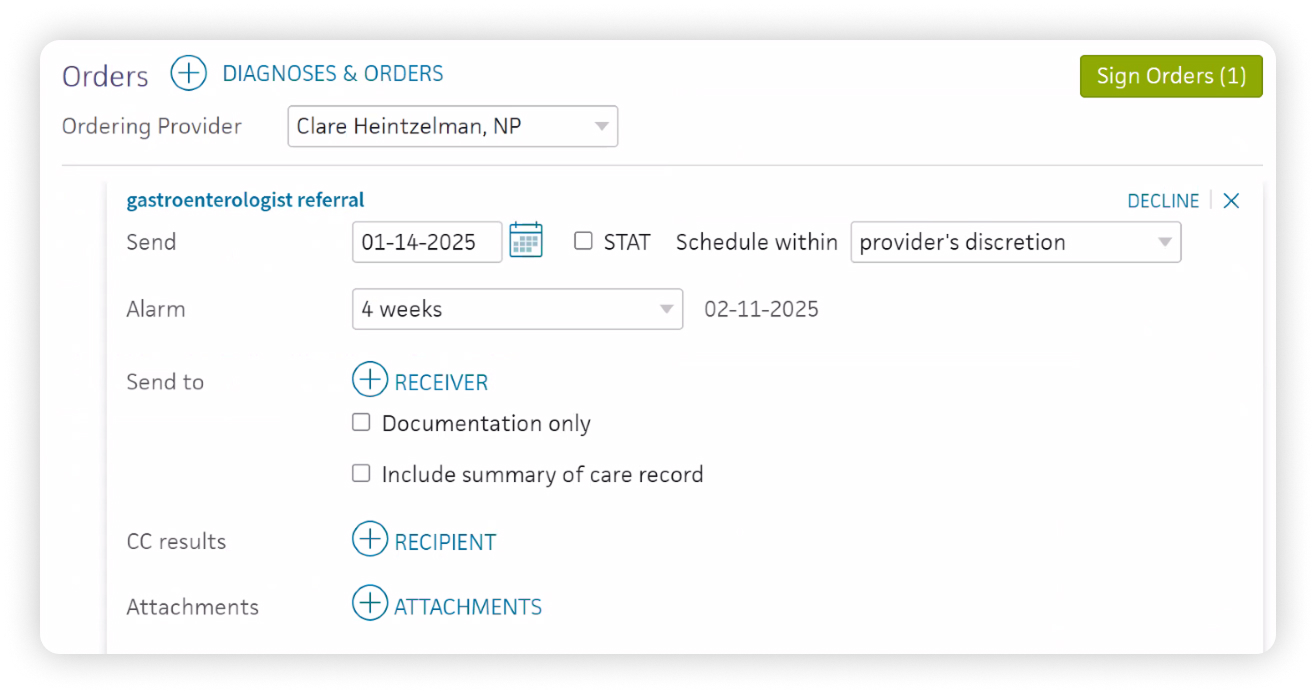
The referral appears in the Orders list. Click on the referral name to expand its detail panel.
3

Add PicassoMD as the receiver

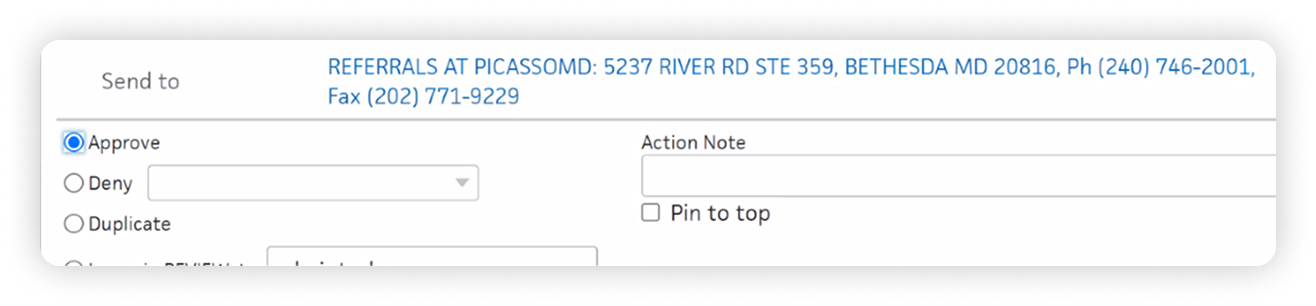
Under Send to, click + RECEIVER. In the search dialog, type "picasso" and select Referrals At PicassoMD

PicassoMD receiver details

Ph: (240) 746-2001 · Fax: (202) 771-9229 · 5237 River Rd Ste 359, Bethesda MD 20816

4

Complete the referral details

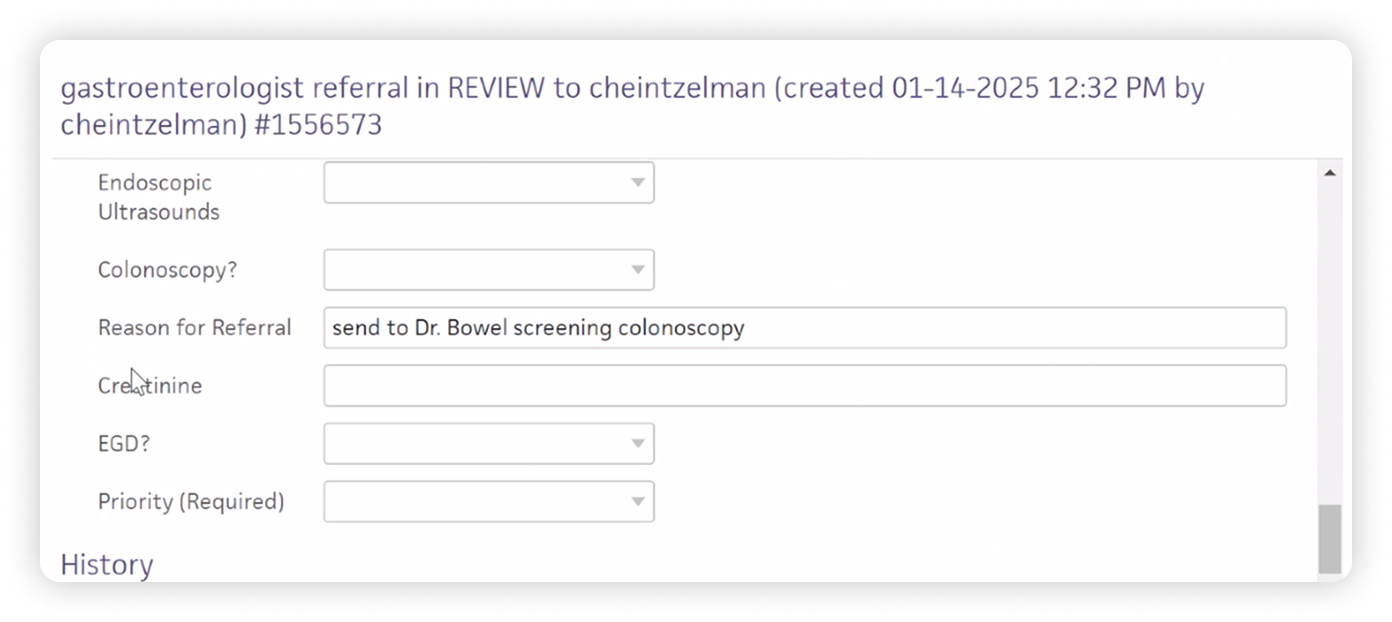
Fill in the Reason for Referral field with a brief clinical note and set Priority (Required). Optionally add attachments or a provider note, then review Authorization and Insurance Referrals fields.

5

Enter Reason for Referral

If specific specialist desired, enter in reason for referral and add pertinent clinical details. Attachments can be added for labs, progress notes and imaging for the specialist to receive.