Quickstart › EMR Integrations›eClinicalWorks
eClinicalWorks

Sending a Referral to PicassoMD

PicassoMD is accessible directly from your eClinicalWorks patient chart via Direct Secure Messaging — enabling seamless electronic referral transmission without leaving your workflow.


1

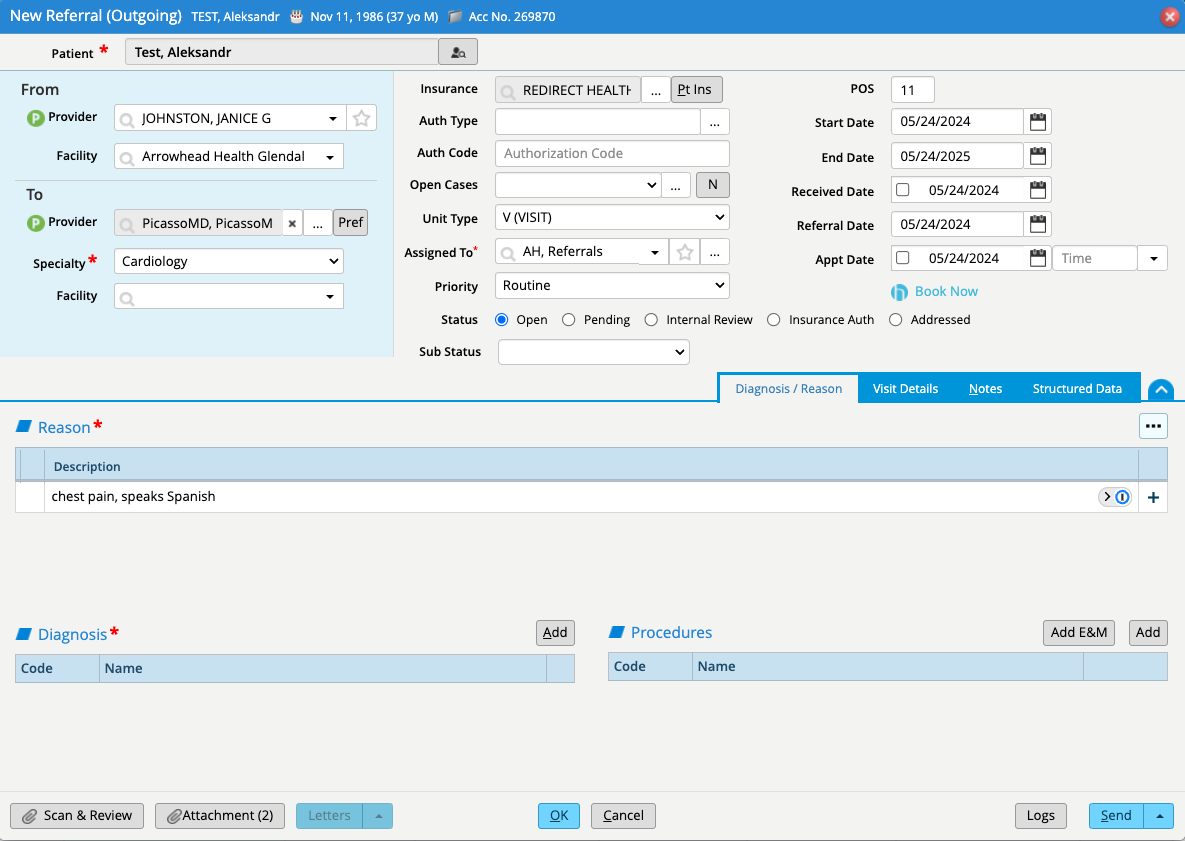
Open a referral window

From the patient chart or a telephone encounter, open a new referral window.
2

Search for PicassoMD as the provider

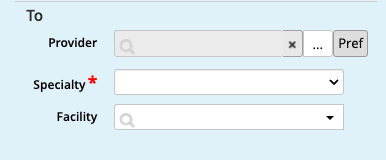
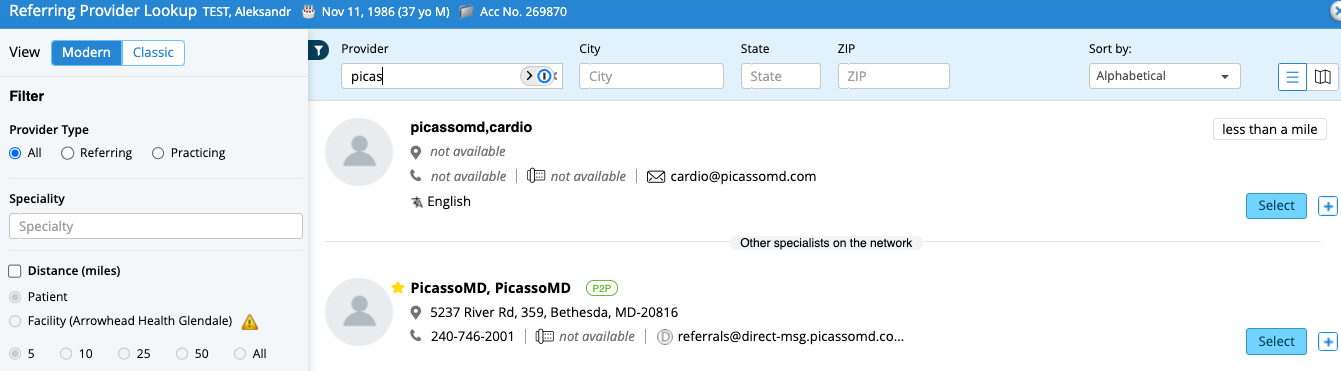
Under To → Provider, tap the ellipsis (…) to open the provider search. In Referring Provider Lookup, enter PicassoMD.

3

Select PicassoMD from results

PicassoMD will appear with address 5237 River Road, #359, Bethesda, MD 20816 and direct address referrals@direct-msg.picassomd.com. Click Select.
4

Enter specialty, reason, and diagnosis

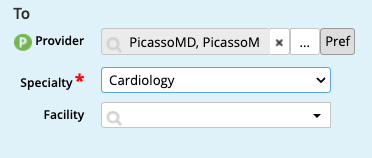
With PicassoMD selected, enter the Specialty, complete the Reason for Referral, and confirm the Diagnosis.

5

Send electronically

Click Send, open the dropdown arrow, and choose Send Electronically. The referral is transmitted to PicassoMD via Direct Secure Messaging.

Not finding PicassoMD?

Log in to my.eclinicalworks.com and open a support ticket requesting a HISP Addendum. A $120/year fee may apply for the eClinicalDirect organizational certificate.