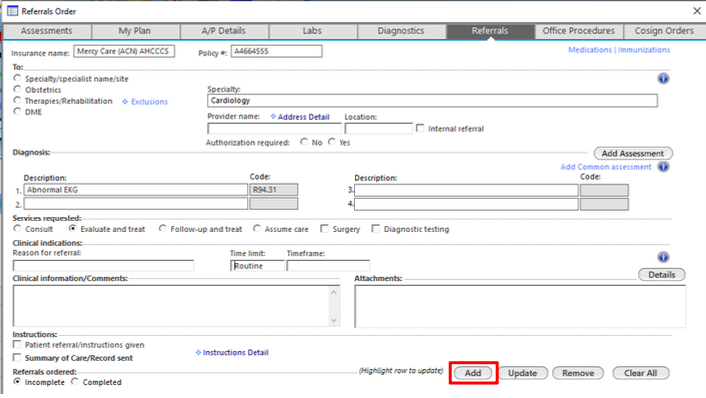
Referrals are created from the Referrals tab within the patient’s chart. Complete each section in order, then task to the appropriate working group.
From the Referrals tab, select Specialty/specialist name/site under "To:". Enter the Specialty field — type to search or use the lookup button to open the specialty list.
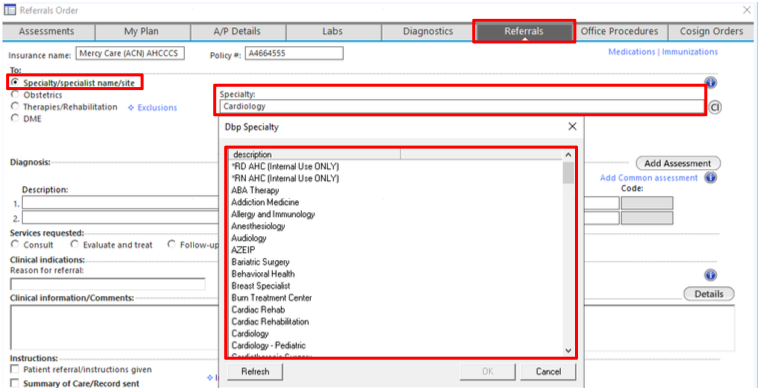
The Specialty lookup menu opens. Search to find the appropriate specialty, select it, and click OK.

In the Diagnosis section, enter the diagnosis the patient is being referred for. Under Services requested, select Evaluate and treat.
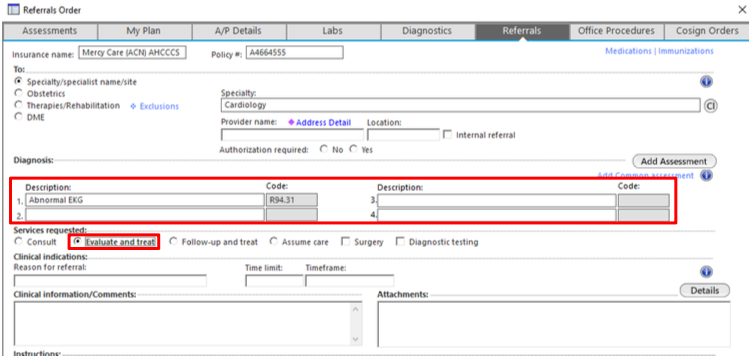
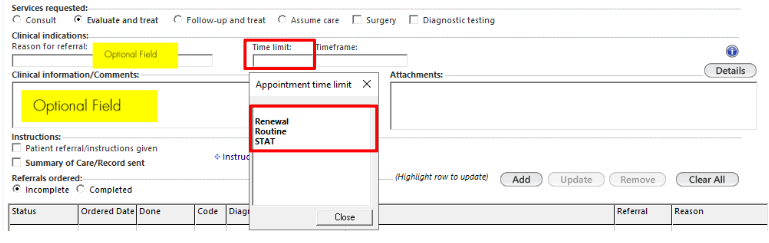
Adjust referral acuity (Renewal, Route, STAT) and add Clinical Information/Comments as an optional field. Add specific specialist name if preference.
Note
DME, Home Health, and newly diagnosed HIV patients must be set to STAT.

Once all fields are complete, click Add at the bottom of the form to add the referral to the orders list.

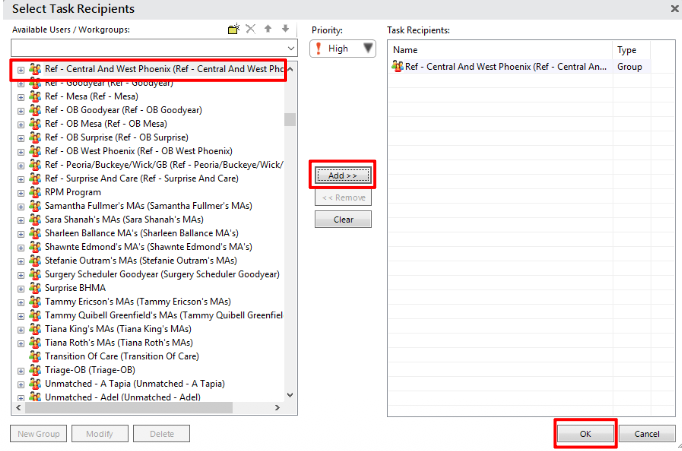
Based on your practice workflows, select task recipients for your referral. Click Add to move it and click OK.

The referral appears in the Referrals ordered grid. Verify the status shows ordered.