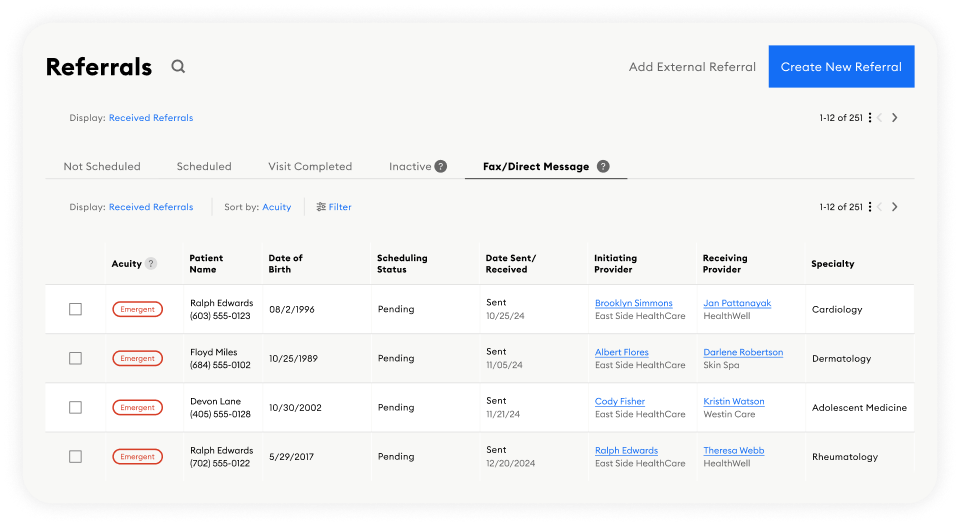
Step 1
Select the referral you want to reroute from your referrals list.
Note: You can only reroute referrals sent by you or your practice—not those received.
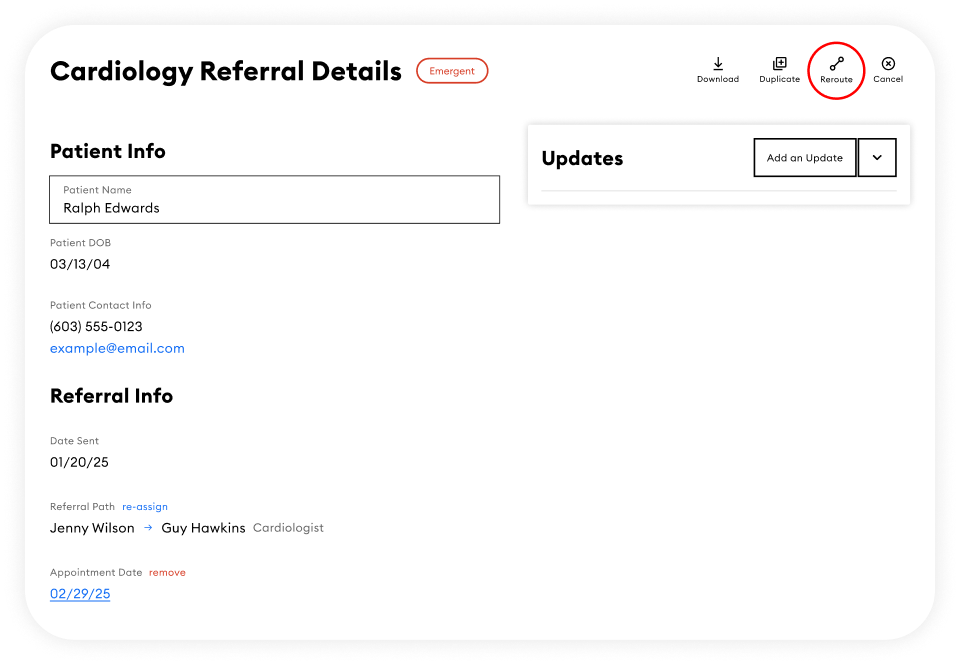
Step 2
Click Reroute in the referral details page.
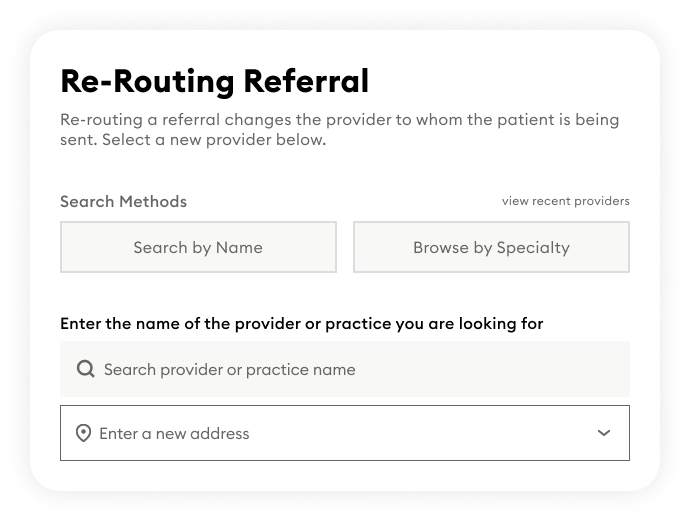
Step 3
Search for and select a new provider or practice.
Review the referral, then click Send!
Key Notes
• Rerouted referrals appear canceled in the original recipient’s dashboard, and they are notified via email.
• Patients receive a text with the new provider’s contact details.
• The new recipient is notified as with any standard referral.